

DOCUMENT MANAGEMENT · FLEET ENABLE SOLUTIONS
Every Document. Searchable By The Number You Actually Use
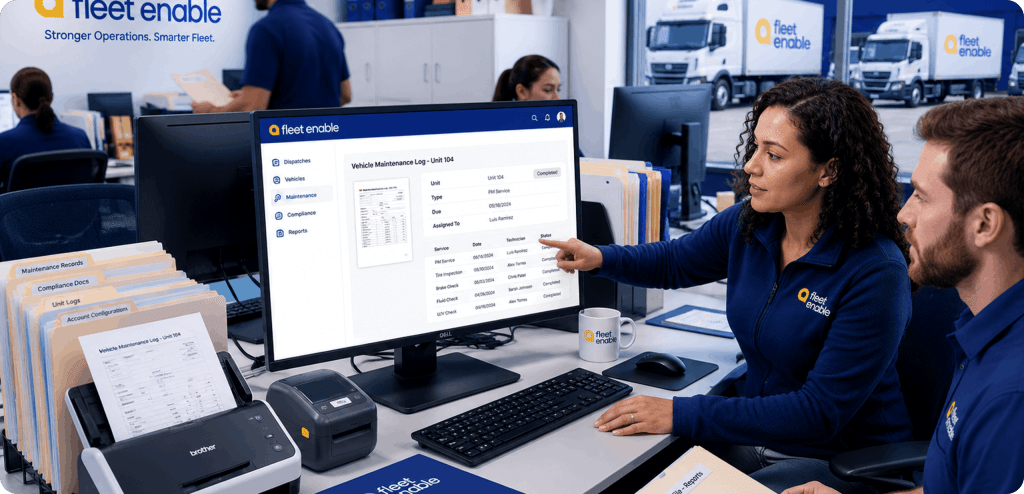
Proof of delivery, bills of lading, air waybills, and shipper paperwork captured at the door and filed against the order. Search by order number, HAWB, or MAWB and pull the document in seconds.
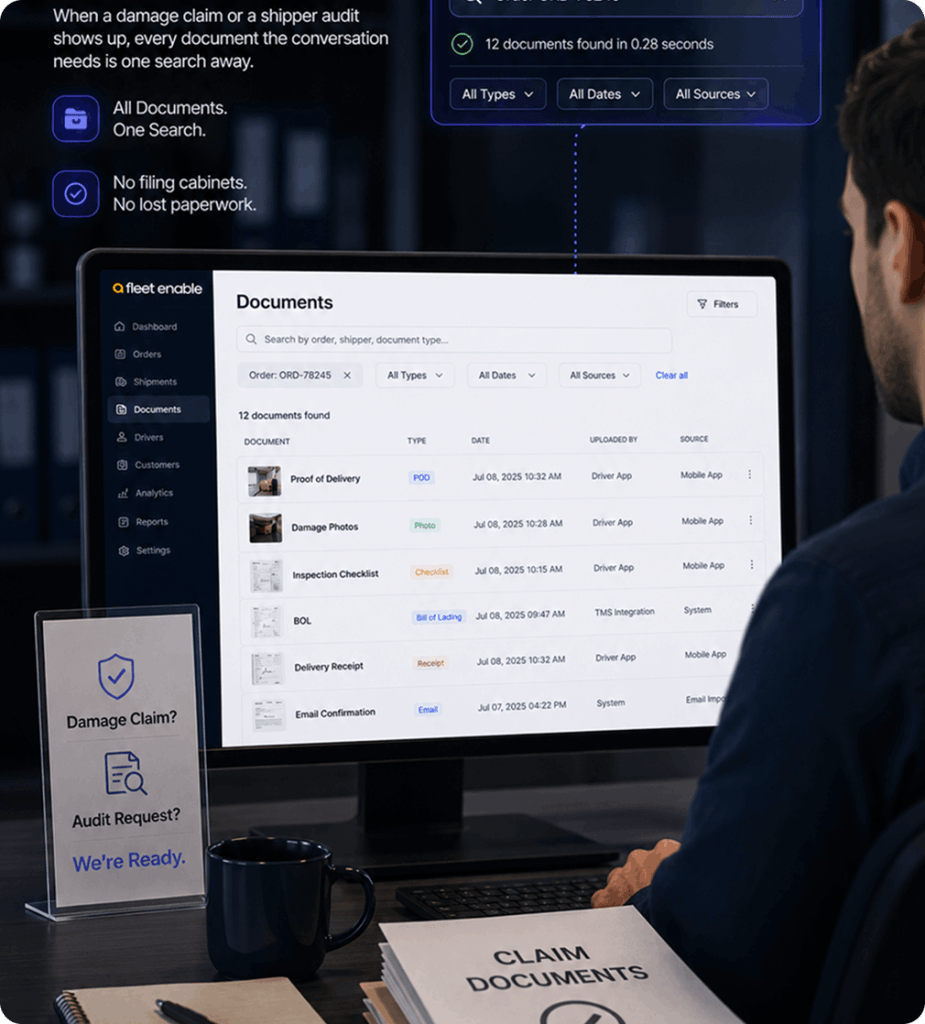
A Billing Question, A Shipper Dispute, A Forwarder Audit. The Document Is One Search Away

Traditional Process
Documents filed against the order automatically
Searchable by order number, HAWB, and MAWB
Proof of delivery captured at the door, with photos
The back office has the paperwork before the truck returns
Every document tied to the account it belongs to
How it works
Paperwork is captured where the work happens, filed against the right order, and findable by whoever needs it next.
01
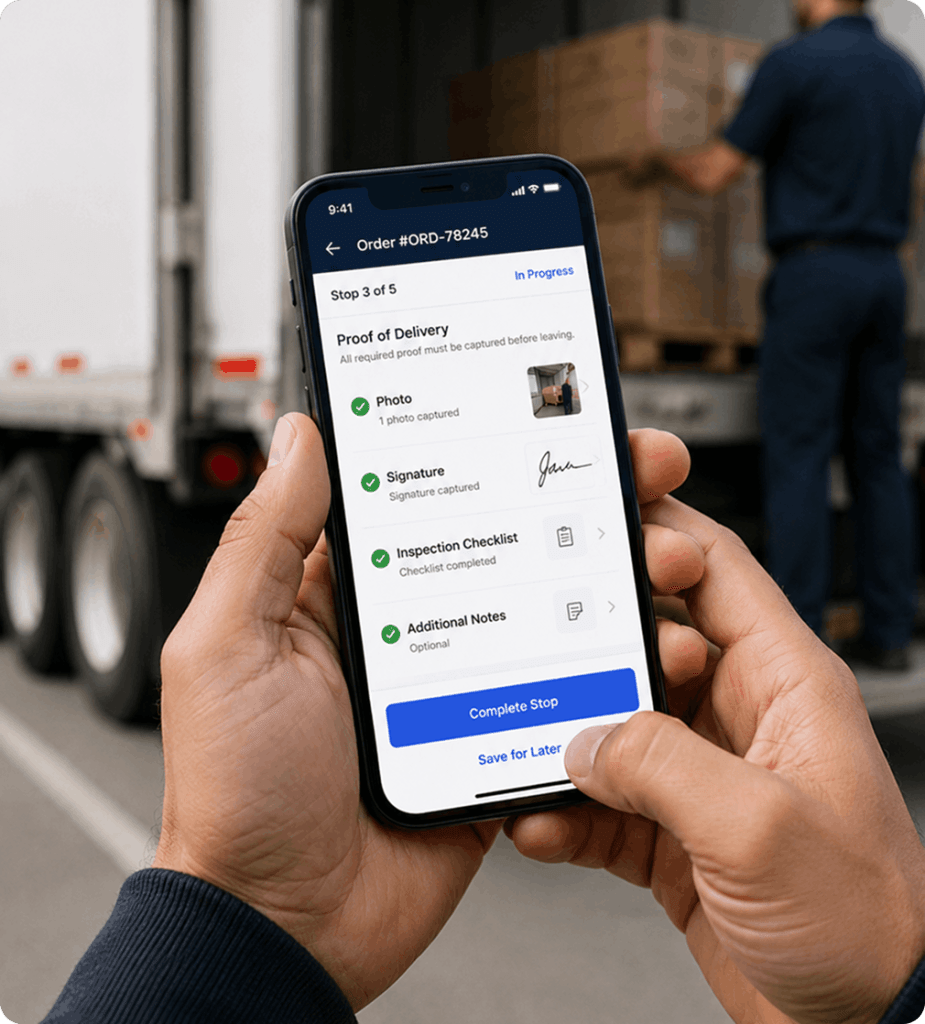
Capture at the Door
The driver collects signature, photos, and any shipper-specific paperwork in the app as part of completing the stop. Nothing to scan later, nothing to bring back to the office.
02
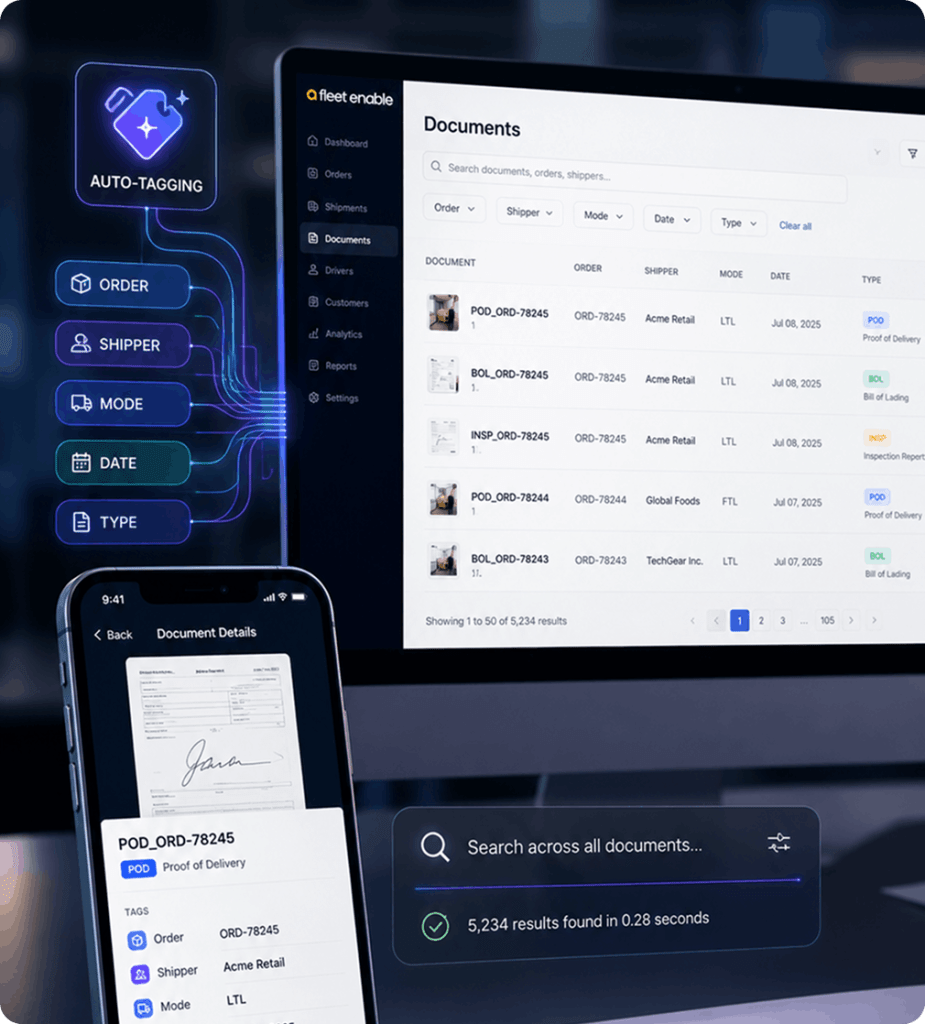
Filed Against the Order
Documents attach to the order the moment they arrive, tagged by shipper, mode, and type. Whether it came from the driver, an email, or a PDF at intake, it lands in one place.
03
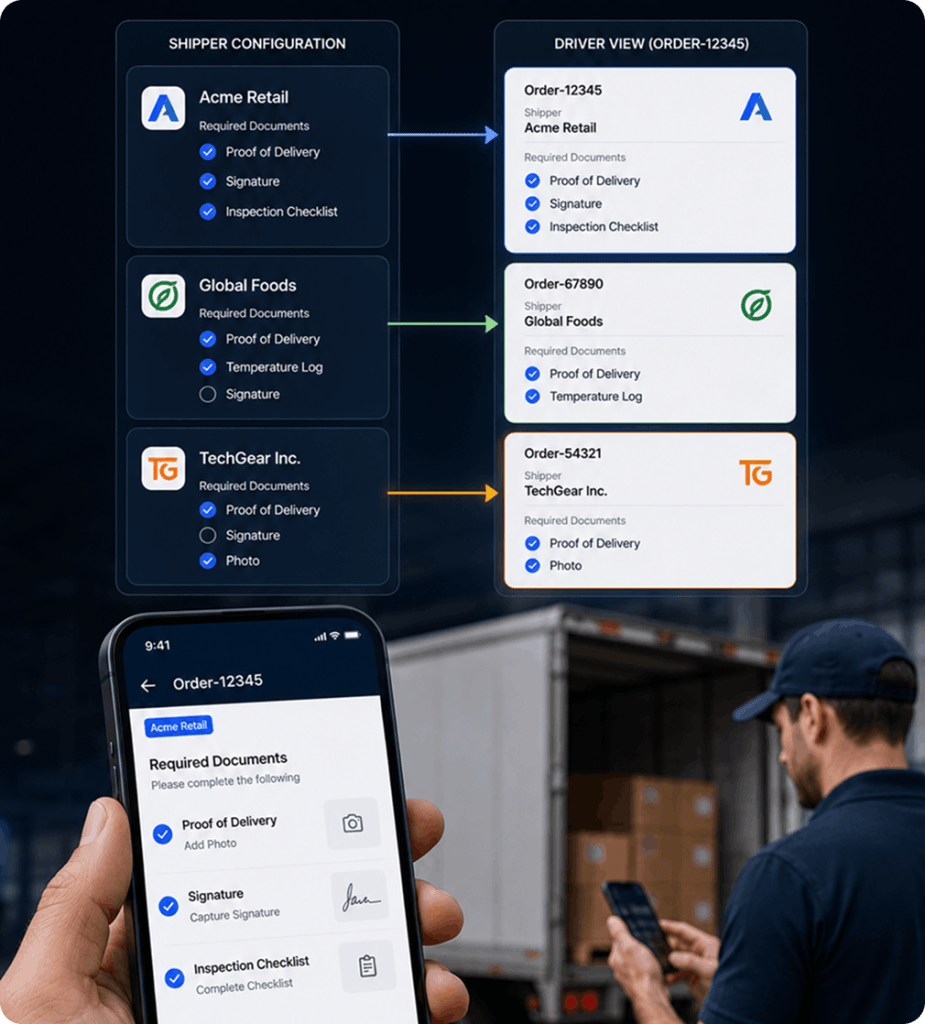
Found by Any Reference
Search by order number, house air waybill, or master air waybill. Air cargo and forwarder paperwork is indexed the way your customer refers to it, so one reference brings back the file.
04
Proof When It Counts
Signature, photos, and timestamps pull straight into a billing question or a damage claim. The delivery is evidenced, so the conversation with the shipper is short and the invoice holds.
Frequently Asked Questions
What is document management in logistics?
Document management in logistics is the capture, filing, and retrieval of the paperwork attached to freight, proof of delivery, bills of lading, air waybills, and shipper-specific forms, so any document can be found against the order it belongs to.
Can Fleet Enable search documents by air waybill?
Yes. Documents are indexed by order number, house air waybill (HAWB), and master air waybill (MAWB), so air cargo and forwarder paperwork is retrievable by the references your customers actually use.
How does proof of delivery work in Fleet Enable?
Drivers capture signatures, photos, and required forms in the app as they complete each stop. The proof attaches to the order immediately and is available to the back office without waiting for the driver to return.
Can Fleet Enable extract data from PDF documents?
Yes. PDF documents are read and the information extracted at intake, with anything ambiguous confirmed before it enters your operation.
How does document management reduce invoice disputes?
When a shipper questions a charge, the signature, photos, and delivery timestamps sit against that order and can be produced immediately, so the claim is settled with evidence rather than recollection.